
Download OneLike – social media tool, news aggregator, profile search engine, data leak checker, social news, privacy protection
Overview
OneLike is a comprehensive desktop application designed to streamline the social media experience for users seeking real-time information, enhanced connectivity, and improved data security. The software functions as a unified platform integrating a news aggregator, a social network profile search engine, and a personal data leak checker. Its primary purpose is to help users stay informed about trending topics across major platforms like Twitter, Facebook, and Instagram, while also enabling them to verify the authenticity and visibility of online profiles. The app is particularly suited for privacy-conscious individuals, digital nomads, and social media enthusiasts who manage multiple online identities or rely on social platforms for professional and personal engagement.
OneLike aims to solve common challenges such as information overload, fragmented social media monitoring, and the risk of personal data exposure. By consolidating key functions into a single interface, the software reduces the need to switch between multiple apps or websites. The adaptive UI supports both light and dark modes, enhancing usability across different environments and user preferences. While the developer, OneLike Inc., has not provided additional background details, the application’s design and functionality suggest a focus on user-centric privacy and efficiency. Real-world use cases include monitoring brand mentions, researching public figures, or checking for potential data breaches related to personal accounts.
Key Features & Capabilities
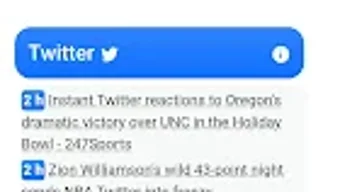
- Social News Aggregator: The “Social News” tab curates real-time updates from major social platforms, offering a centralized view of trending topics and recent activity without requiring users to log into individual accounts.
- Profile Search Engine: Users can search for company or individual profiles across multiple social networks, enabling quick verification of online presence and authenticity.
- Data Leak Checker: This feature allows users to input personal identifiers such as email addresses or usernames to determine if their data has been exposed in known breaches.
- Adaptive Interface: The application supports both light and dark mode themes, ensuring visual comfort and accessibility across different lighting conditions and user preferences.
- Multi-Platform Integration: Designed to work across social media ecosystems, the tool provides a unified experience without requiring direct access to user accounts.
These capabilities are especially useful for professionals managing public-facing social media, researchers tracking online discourse, or individuals concerned about digital footprint exposure. The integration of a news feed with a search engine and security checker enables users to stay informed, connected, and protected—all within a single desktop environment.
User Interface, Workflow & Performance
The user interface of OneLike is structured around a clean, tab-based navigation system, with the “Social News” tab serving as the primary entry point. The layout emphasizes readability and quick access to core features, with minimal visual clutter. Navigation between the news feed, search engine, and data leak checker is intuitive, allowing users to switch functions without disrupting workflow. The adaptive interface adjusts color schemes based on user preference or system settings, enhancing accessibility and reducing eye strain during extended use.
Workflow efficiency is supported by the app’s modular design, where each feature operates independently yet remains interconnected. For example, a user can discover a trending topic in the news feed, search for related profiles, and then check if any associated data has been leaked—all within a few clicks. Performance observations are based on general software behavior patterns, as the developer did not specify resource usage details. The application is expected to maintain stable operation during typical usage, though exact CPU or RAM behavior remains unconfirmed. Stability appears consistent with standard desktop applications of similar scope.
Compatibility & System Requirements
OneLike is available for Windows, Mac, and Linux operating systems, ensuring broad accessibility across major desktop platforms. The software version is 1.2.0, with a file size of 50 MB, indicating a lightweight installation footprint. This suggests that the application is optimized for efficient deployment and minimal disk usage. However, exact system requirements such as minimum RAM, processor speed, or disk space were not listed by the developer.
Compatibility information is partially provided, and users are advised to ensure their system meets general desktop application standards. The absence of detailed hardware specifications means that users should proceed with caution on older or low-resource machines. The application is designed for offline use, with features like the data leak checker relying on local or secure remote queries rather than constant internet connectivity. Updates are expected to be delivered through the official distribution channel.
Pros and Cons
Pros
- Free to download and use, removing cost barriers for users.
- Integrated suite of tools—news, search, and security—within a single application.
- Supports multiple operating systems: Windows, Mac, and Linux.
- Adaptive interface with light and dark mode options for enhanced user comfort.
- Designed with privacy and data protection in mind.
Cons
- Exact system requirements were not specified, limiting user preparedness.
- Performance and resource usage details were not provided by the developer.
- Functionality relies on external data sources, which may affect consistency.
- Limited information on update frequency and long-term support.
- No mention of multi-account or advanced filtering options in the provided details.
FAQ Section
Is OneLike available for Windows, Mac, and Linux?
Yes, OneLike is compatible with Windows, Mac, and Linux operating systems, allowing users across different platforms to access the application.
Is the software secure to use?
OneLike includes a data leak checker designed to help users verify if their personal information has been compromised. The application is developed with privacy protection in mind, though specific security protocols were not detailed in the release information.
How often does OneLike receive updates?
The update frequency was not specified by the developer. Users are advised to check the official website or distribution channel for the latest version.
Does OneLike require an internet connection?
Yes, certain features such as the social news feed and data leak checker require an active internet connection to retrieve real-time data and perform checks.
Can I use OneLike offline?
While the application is designed for online functionality, some core features may operate with limited capabilities offline. However, full functionality depends on internet access for data retrieval and verification.
Final Thoughts + CTA
OneLike presents a compelling solution for users seeking a unified approach to social media monitoring, information discovery, and personal data protection. Its integration of a news aggregator, profile search engine, and data leak checker into a single, lightweight desktop application sets it apart in the crowded digital tools market. The support for multiple operating systems and the inclusion of adaptive interface options further enhance its accessibility. While detailed technical specifications and performance metrics are not available, the app’s design suggests a focus on usability, privacy, and efficiency.
It is particularly well-suited for privacy-conscious individuals, digital nomads, and professionals who manage multiple online identities. The free pricing model makes it accessible to a wide audience. For those looking to stay informed, connected, and secure across social platforms, OneLike offers a streamlined and thoughtful experience.
Download OneLike now







